Step 1
Upload your child and parent data
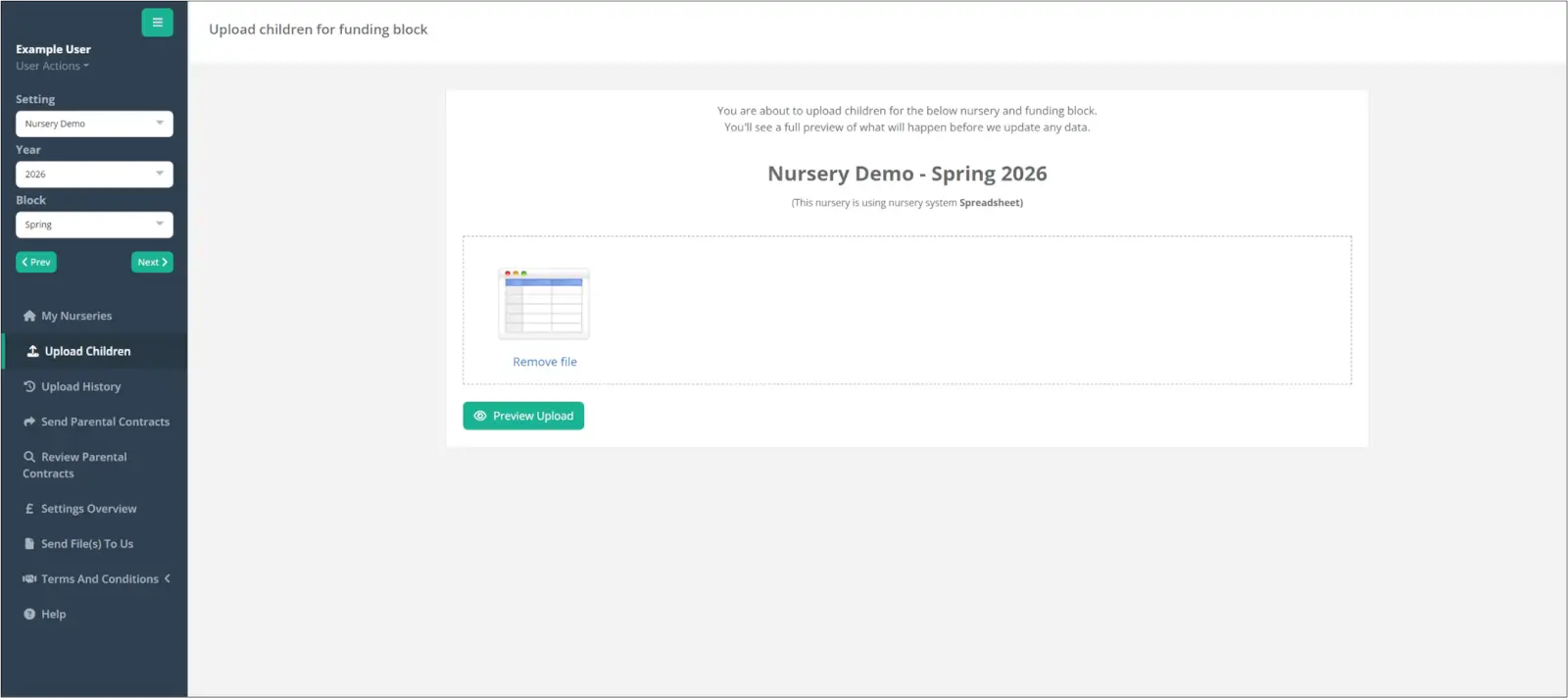
There is no need to re-enter data you have already collected. Funding Loop integrates with most of the major nursery management systems, including Famly, Connect Childcare, Ovivio, Nursery in a Box, Eyworks, Redfish, Instant Nursery Manager, Abacus (Parenta), Octopus 365, ChildsPlay Manager, and iPAL.
To get started, simply run the Funding Loop report in your nursery management system and upload the exported file into Funding Loop. If you do not use a nursery management system, you can upload a spreadsheet instead.
No technical skills are required. The system is designed for everyone on your team, not just IT professionals.
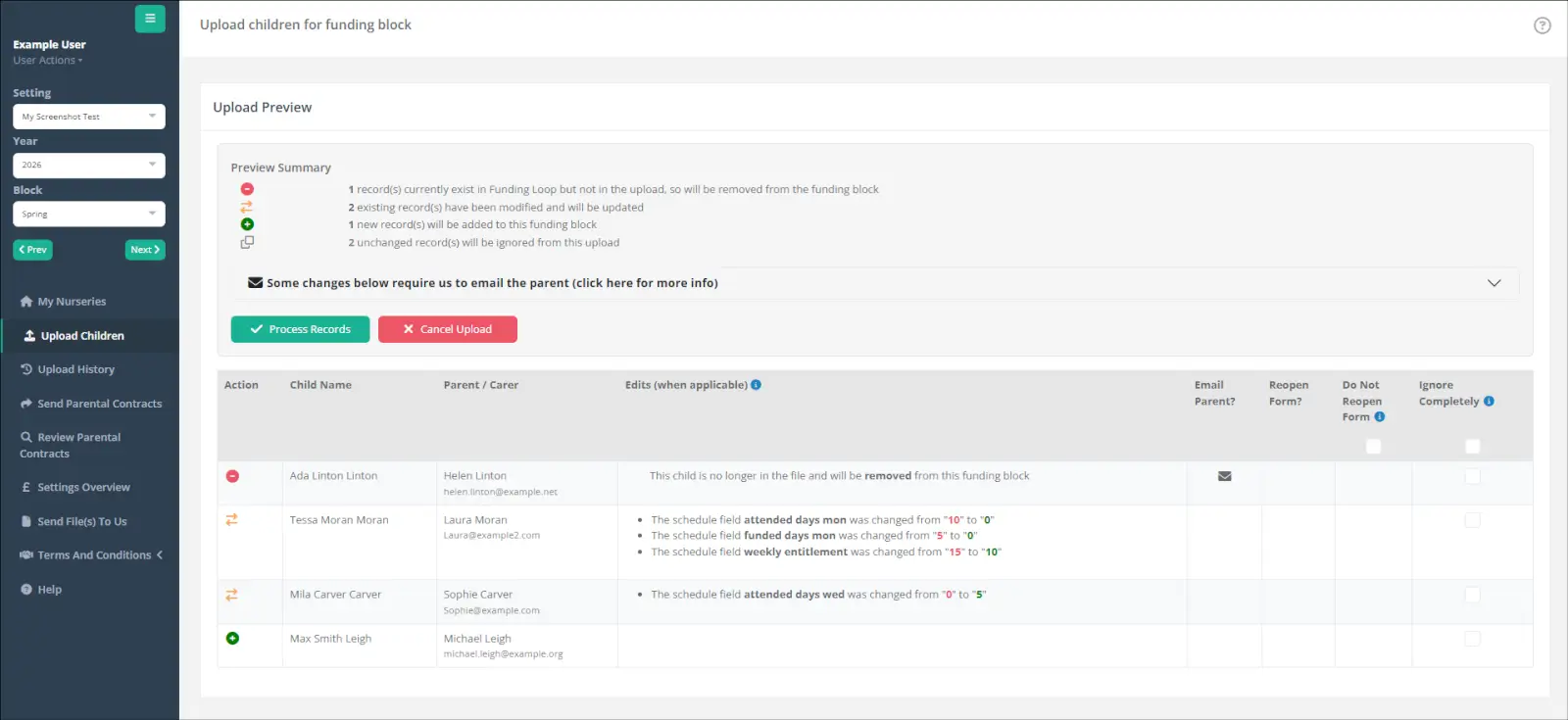
Once uploaded, you can review the data at a glance. If anything changes in your nursery management system, for example, a child's hours are updated, just upload the file again. New children are added, changes are applied, and anything unchanged is ignored.
Step 2
Review funding offers and cash flow
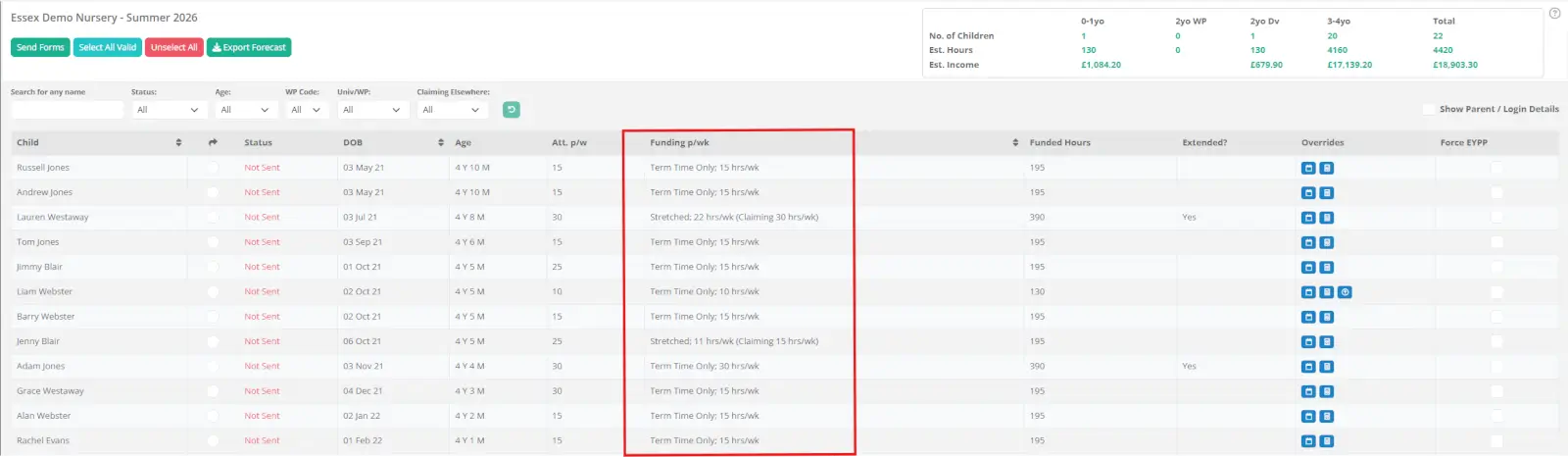
Funding Loop is configured to handle all types of funding arrangements, including term-time only and stretched offers across different numbers of weeks (for example, 48 or 51 weeks).
You can check the funded hours being claimed for each child at a glance. A cash flow summary shows your expected funding income for the term, calculated against your local authority's rates, giving you full visibility before a single form is sent.
Step 3
Send declaration forms to parents
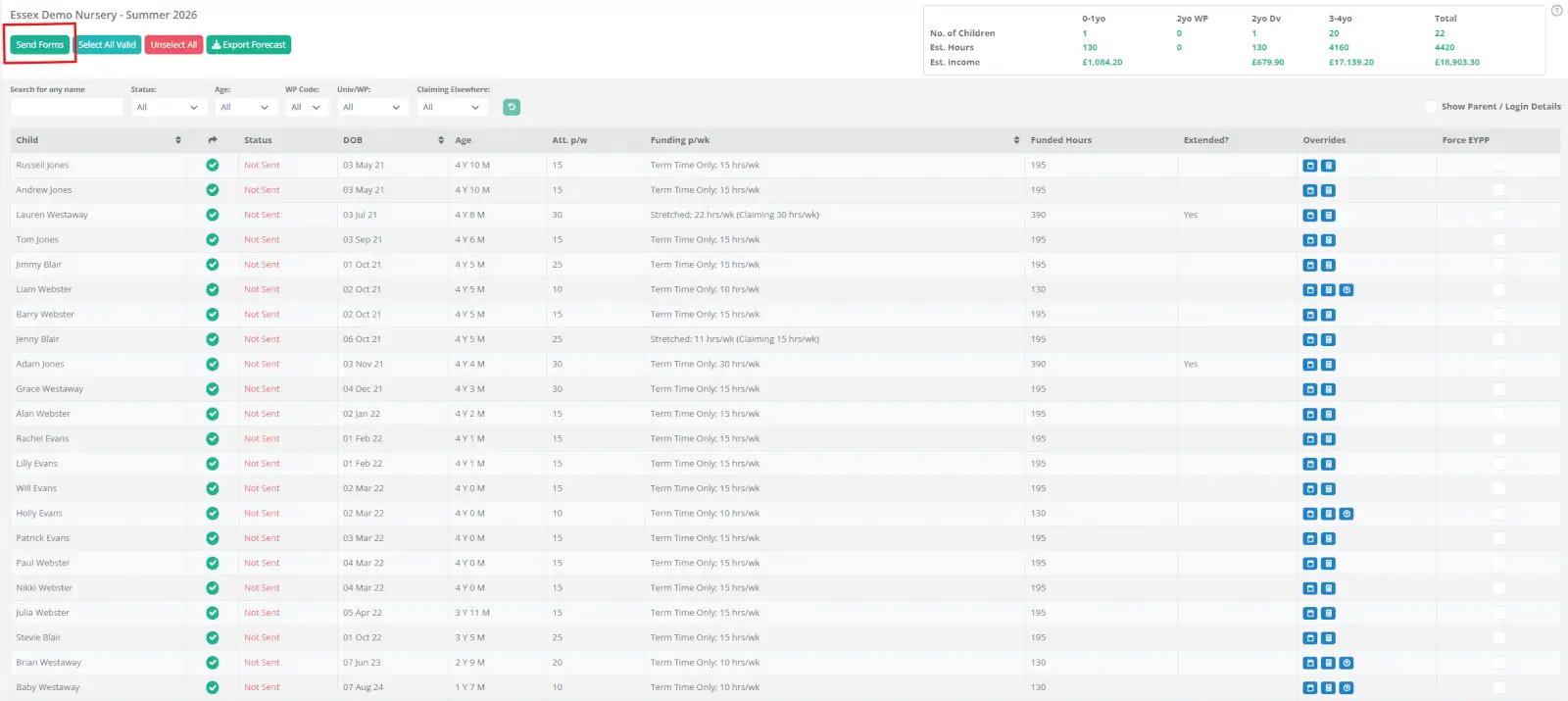
Once your data is verified, select all and send emails to parents with a single click. Each parent receives a personalised link to their child's Parental Declaration form.
The form is tailored to each child's funding circumstances. Only relevant questions are asked, for example, a child claiming 30 hours will be asked for their working parent eligibility code, while a child on 15 hours will not. If a child attends a second setting, the form includes the relevant additional fields for them to complete.
The majority of each form is pre-populated from the data you uploaded. Parents simply confirm the pre-filled information and provide any missing details, such as their National Insurance number or Working Parents Funding eligibility code.
Supporting documents, such as birth certificates, can be uploaded by parents taking a photo on their mobile phone. At the end of the process, parents sign with a simple electronic signature and submit.
Funding Loop knows what information each local authority requires and includes every necessary question, helping ensure a fully completed, compliant form at the end of the process.
From the second term onwards, the process is even faster. All information previously entered is saved, so parents simply check their hours for the new term and submit.
Step 4
Track progress and send reminders
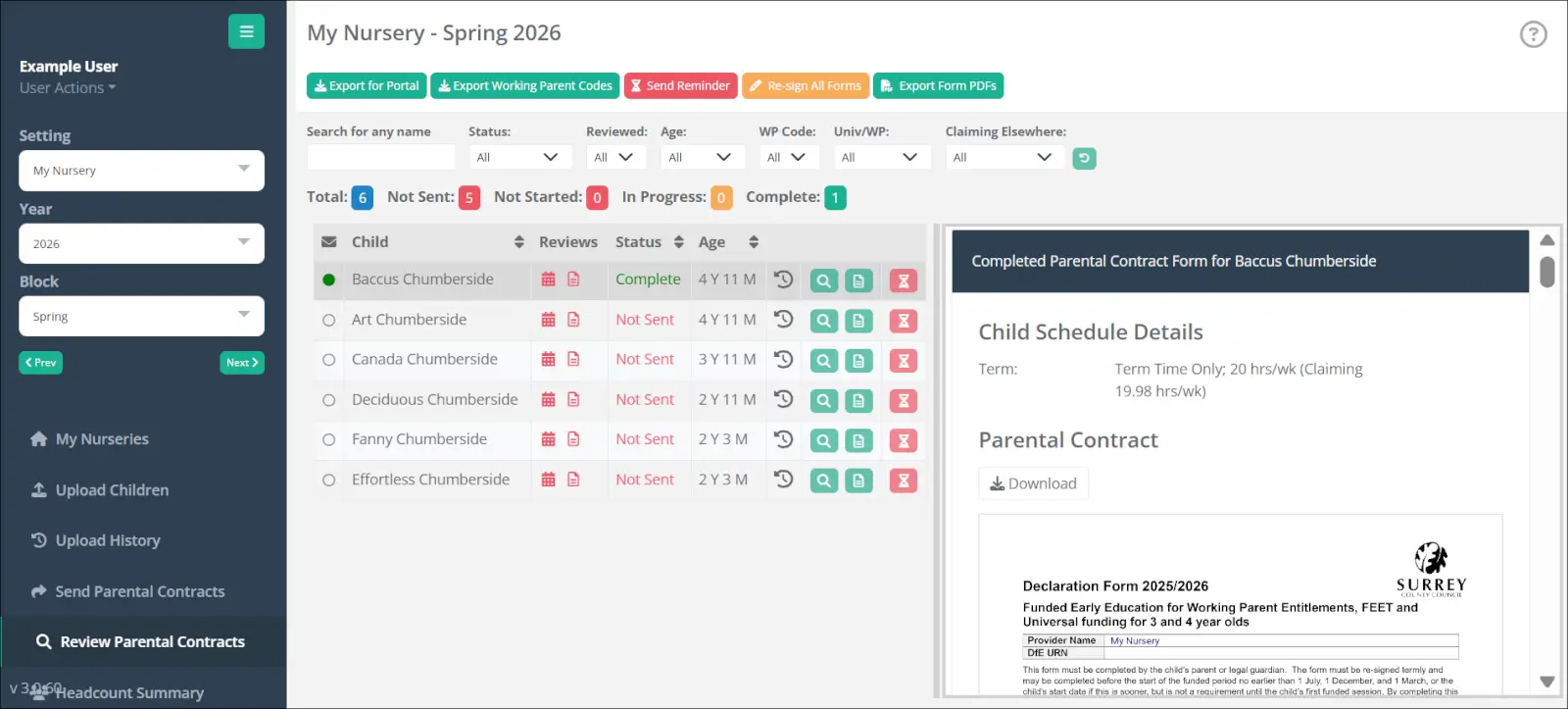
Your Funding Loop dashboard shows the live status of every form, including those who have submitted, those still in progress or those that have not yet been started.
Sending reminders to parents who have not yet completed their forms takes one click. The process repeats until all forms are submitted and reviewed.
Review actions are listed clearly: checking birth certificates, verifying proof of address, and confirming eligibility codes. Everything is logged, creating a clear audit trail for your records.
Step 5
Submit to the Local Authority portal
Once all forms are completed and reviewed, submitting to your local authority is straightforward using the Funding Loop Uploader browser extension tool. This tool works on the three main Local Authority portal systems used across England: Capita, Synergy, and Liquid Logic, plus the custom portals used by Birmingham and Hertfordshire.
Click the Export for Portal button to generate the file you need. Log into your Local Authority portal and navigate to the headcount page as normal. Then activate the Funding Loop browser tool, a small widget that sits on top of your local authority's web page.
Upload the file you just exported. The tool compares the children in your file with the headcount page and sets up the additions, updates, and leaving dates for you to review, handling what you would otherwise have to enter manually, and doing it as quickly as the portal will allow.
At the end, the tool double-checks that your Funding Loop file matches the headcount page exactly. All that is left is a final review and pressing submit.
For mid-term starters or interim headcounts, use the Headcount Express tool to process only the children whose details have changed, without reprocessing the entire cohort. Currently, for the Synergy portals the mid term adjustments must be entered manually. To facilitate this there is another option on our upload tool "Compare Funding Loop With Portal" which will give you a list of changes you need to make manually.
One important distinction worth noting: Funding Loop allows nurseries to check the validity of working parent eligibility codes in bulk before submission. This is separate from the government requirement for parents to reconfirm their eligibility with HMRC every three months. That reconfirmation happens directly between the parent and HMRC, outside of Funding Loop.
For more information please see our help guide article.